Digital Legacy
The accounts problem: what happens to your digital life
Most people now hold significant assets, records and memories in online accounts that their family will have no legal right or practical ability to access.
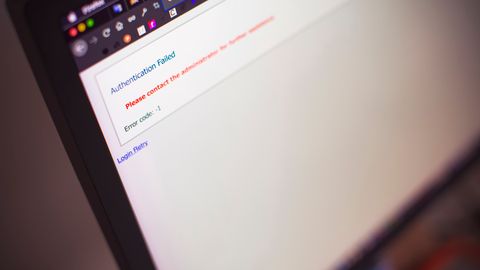
Twenty years ago, someone's affairs were largely in a filing cabinet. Now a substantial share is in accounts protected by passwords and two-factor authentication, held by companies with their own terms of service, frequently in another country.
This creates a genuinely new problem, and the law has not caught up.
The three distinct issues
Practical access. Can anyone actually get in?
Legal authority. Is the executor entitled to?
Platform terms. What do the companies permit, regardless of the first two?
These can conflict. An executor may have clear legal authority under local law and still be refused access by a platform whose terms prohibit account transfer.
What is at stake
Financial. Online-only bank accounts, investment platforms, cryptocurrency, payment services, and revenue-generating accounts. Cryptocurrency in particular is a genuine problem — without the private key, the asset is irrecoverable, and there is no institution to appeal to.
Business. Domain names, hosting, seller accounts, professional profiles and client records.
Sentimental. Photographs, messages, videos. For many families this is what matters most, and it is frequently the hardest to retrieve.
Subscriptions. Ongoing payments that continue until cancelled, which requires knowing they exist.
Administrative. The email account that receives everything, and that controls password resets on everything else — which makes it the single most important account of all.
What platforms actually offer
Provision varies and has improved.
Several major platforms offer some form of legacy or inactive account setting, allowing you to nominate a person to be given limited access, or to have the account deleted after a period of inactivity. These are configured in advance, by you, in the account settings.
Others offer memorialisation, which preserves an account in a modified state.
Others offer nothing, and require a death certificate and legal documentation, with responses that can be slow and inconsistent.
The practical point: the tools that exist require setting up before death. Spend an afternoon going through the settings of the accounts that matter.
The password problem
The most common advice is to write down passwords and leave them with the will. There are two objections.
A list stored insecurely is a security risk while you are alive, and a list stored securely is one nobody can open.
Passwords also change, so any written list is out of date almost immediately.
The better approach for most people is a password manager with an emergency access feature. Several major password managers allow you to nominate a trusted contact who can request access, with a waiting period during which you can decline if you are alive and well.
This solves both problems: one credential to pass on, kept current automatically, with a built-in safeguard.
The master password then needs to be recorded somewhere your executor can find it — sealed with your will, in a safe, or with a solicitor.
The legal position
Genuinely unsettled and jurisdiction-dependent.
Some jurisdictions have legislation addressing fiduciary access to digital assets, generally allowing an executor access to certain categories subject to the deceased's expressed wishes and to platform terms.
Elsewhere, executors rely on general estate law, and platforms may or may not cooperate.
Contractual terms complicate this. Many licences — for music, films and software — are personal and non-transferable, which means substantial digital libraries may simply end.
Data protection law adds another layer, with the deceased's privacy interests and those of people they corresponded with both in play.
The thing not to do
Sharing your password with someone so they can log in as you may violate the platform's terms and, in some jurisdictions, may fall foul of computer misuse legislation.
In practice, families do this constantly and are rarely troubled for it. It is worth knowing that it is not straightforwardly permitted, particularly for financial accounts where using someone else's credentials after death has clearer legal implications.
What to actually do
Make an inventory. Not passwords — a list of what exists. Email accounts, financial accounts, social platforms, subscriptions, storage, domains, devices. Where they are, roughly what is in them.
Set up the legacy features on platforms that offer them.
Use a password manager with emergency access configured.
Say what you want to happen. Delete, preserve, pass to a specific person. Platforms with legacy settings frequently honour stated wishes, and it also spares your family a decision.
Consider a clause in your will addressing digital assets, drafted by someone who knows your jurisdiction. Do not put passwords in a will, which in many places becomes a public document after probate.
Back up what matters locally. The photographs you would not want lost should exist somewhere other than a cloud account nobody can open.
That last one is the least technical and the most valuable. An external drive of family photographs, in a drawer, costs very little and solves the problem entirely.
This is general information, not legal advice. Law on digital assets is developing and differs by jurisdiction. Consult a qualified adviser about your specific situation.
Also by Daniel Krajewski
- A digital estate checklistDigital Legacy
- The annual review: half an hour, once a yearWills & Estates
- Making a will yourself, and when not toWills & Estates
- When you are both the executor and the familyFamily Conversations